First-Party Tracking with Next.js
Set up a first-party proxy in your Next.js application to bypass ad blockers and browser tracking protection.
Difficulty: Easy - This is the simplest option for Next.js projects. Just add a few lines to your config file.
Why This Works (Same-Origin)
This approach uses /api/_z/script.js which is on the same origin as your website. Firefox ETP and other tracking protections only block cross-origin requests.
- Browser sees:
yourdomain.com/api/_z/script.js, same origin (first-party) - Next.js rewrites the request to Zenovay server-side (browser never sees this)
- All tracking protection is bypassed because the request is first-party
The proxied script stops honouring Do Not Track
Every bundle served through /api/_z/script.js ships with ignoreDNT enabled, so a visitor whose browser sends the legacy Do Not Track signal is still tracked on a proxied site, whether or not you asked for that. Global Privacy Control is never overridden and is still honoured. If Do Not Track matters for your audience, serve the standard script from api.zenovay.com instead. See Privacy-first.
Before You Start
Make sure you have:
- A Next.js 12+ project (App Router or Pages Router)
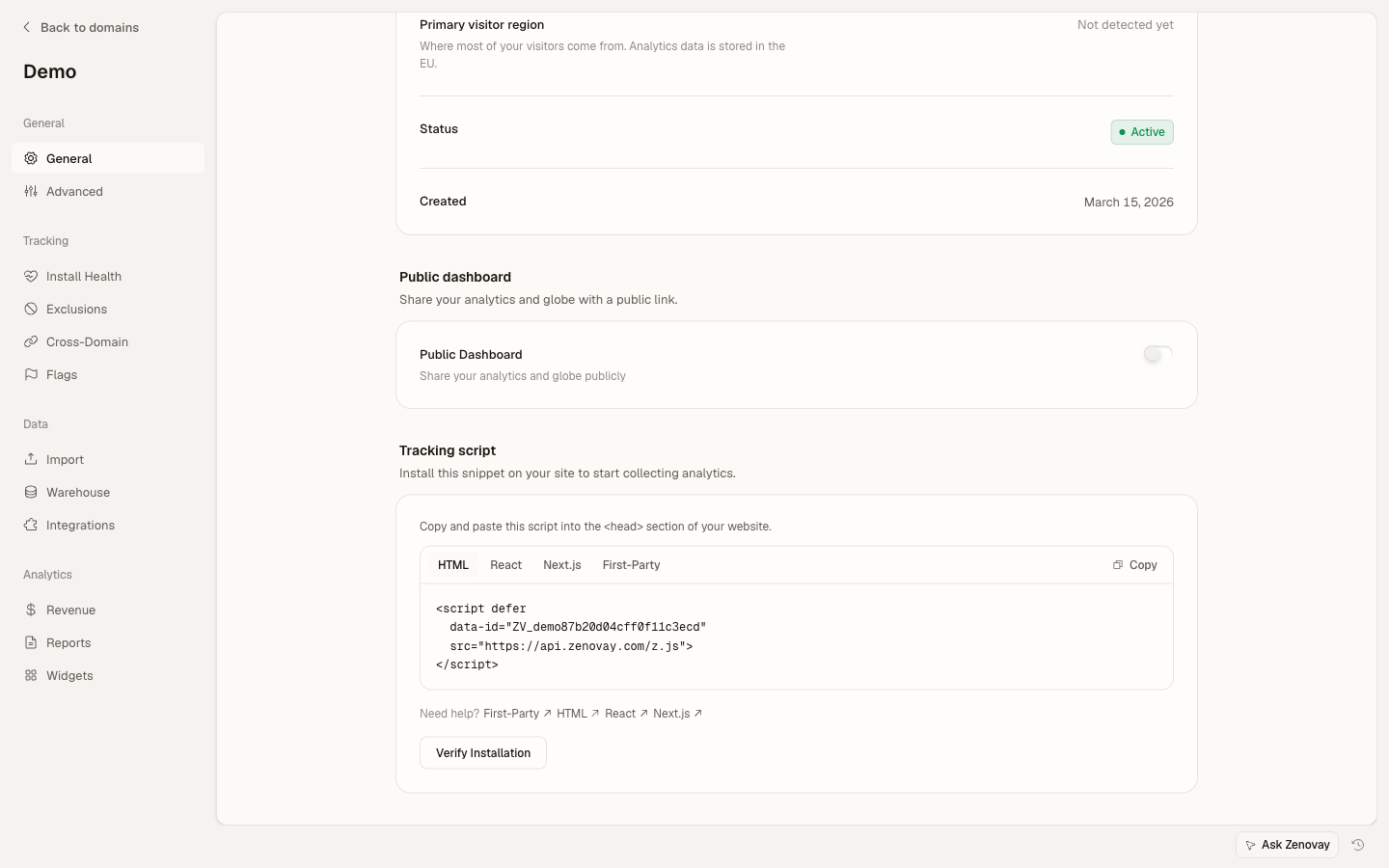
- Your Zenovay tracking code (found under Domains → your site → General → Tracking script, on the First-Party tab)
- Access to your
next.config.jsornext.config.tsfile
Your Tracking Code Format
Your tracking code looks like: ZV_XXXXXXXXXX
- Starts with
ZV_ - Followed by 10 characters (letters and numbers)
- CASE-SENSITIVE - copy it exactly
Example: ZV_Q8U0GYD70WR
How It Works
Next.js rewrites act as a server-side proxy. When a browser requests /api/_z/script.js, Next.js fetches it from api.zenovay.com/fp/script.js and returns it. The browser only sees your domain.
Browser → yourdomain.com/api/_z/script.js  (First-party)
               ↓
         Next.js Rewrite
               ↓
         api.zenovay.com/fp/script.js (Server-to-server)
Step 1: Configure Rewrites
Add the rewrite configuration to your Next.js config file.
Which config file?
next.config.js- If your project uses JavaScriptnext.config.mjs- If your project uses ES modulesnext.config.ts- If your project uses TypeScript (Next.js 15+)
For next.config.js (JavaScript)
/** @type {import('next').NextConfig} */
const nextConfig = {
// Add this rewrites configuration
async rewrites() {
  return [
    {
      // Proxy all requests to /api/_z/* to Zenovay's first-party endpoint
      source: '/api/_z/:path*',
      destination: 'https://api.zenovay.com/fp/:path*',
    },
  ]
},
}

module.exports = nextConfig
For next.config.mjs (ES Modules)
/** @type {import('next').NextConfig} */
const nextConfig = {
async rewrites() {
  return [
    {
      source: '/api/_z/:path*',
      destination: 'https://api.zenovay.com/fp/:path*',
    },
  ]
},
}

export default nextConfig
For next.config.ts (TypeScript - Next.js 15+)
import type { NextConfig } from 'next'

const nextConfig: NextConfig = {
async rewrites() {
  return [
    {
      source: '/api/_z/:path*',
      destination: 'https://api.zenovay.com/fp/:path*',
    },
  ]
},
}

export default nextConfig
If You Already Have Rewrites
If your config already has a rewrites() function, add the Zenovay rewrite to the existing array:
const nextConfig = {
async rewrites() {
  return [
    // Your existing rewrites...
    {
      source: '/old-page',
      destination: '/new-page',
    },
    // Add Zenovay rewrite
    {
      source: '/api/_z/:path*',
      destination: 'https://api.zenovay.com/fp/:path*',
    },
  ]
},
}

module.exports = nextConfig
Step 2: Add the Tracking Script
Now add the tracking script to your application.
App Router (Next.js 13+)
Add the script to your root layout:
import Script from 'next/script'

export default function RootLayout({
children,
}: {
children: React.ReactNode
}) {
return (
  <html lang="en">
    <head>
      <Script
        src="/api/_z/script.js"
        data-tracking-code="YOUR_TRACKING_CODE"
        strategy="afterInteractive"
      />
    </head>
    <body>{children}</body>
  </html>
)
}
Pages Router
Add the script to your custom _app.tsx:
import Script from 'next/script'
import type { AppProps } from 'next/app'

export default function App({ Component, pageProps }: AppProps) {
return (
  <>
    <Script
      src="/api/_z/script.js"
      data-tracking-code="YOUR_TRACKING_CODE"
      strategy="afterInteractive"
    />
    <Component {...pageProps} />
  </>
)
}
Replace YOUR_TRACKING_CODE with your actual tracking code from the Zenovay dashboard (e.g., ZV_Q8U0GYD70WR).
Step 3: Restart Your Development Server
Important! Next.js caches the config file. You MUST restart your dev server after editing next.config.js.
# Stop your current dev server (Ctrl+C)
# Then restart it
npm run dev
Step 4: Deploy Your Changes
# For Vercel (automatic deployment)
git add .
git commit -m "Add Zenovay first-party tracking"
git push

# Or manual Vercel deployment
vercel deploy

# For other platforms
npm run build && npm run start
Step 5: Verify It's Working
Check 1: Local Development
- Open your site at
http://localhost:3000 - Press F12 to open DevTools
- Click the Network tab
- Refresh the page
- Filter by
script.js - You should see a request to
/api/_z/script.jswith status 200
Check 2: Firefox Strict Mode (Most Important!)
Firefox has the strictest tracking protection. If it works in Firefox, it works everywhere.
- Open Firefox browser
- Click the menu button (three lines, top-right) → Settings
- Click Privacy & Security in the left sidebar
- Under "Enhanced Tracking Protection", select Strict
- Visit your website
- Open DevTools (F12) → Network tab
- Refresh and verify
/api/_z/script.jsloads with status 200
Check 3: Zenovay Dashboard
- Go to app.zenovay.com and log in
- Click on your website
- Visit your site in another tab
- Within 1-2 minutes, you should see the visit appear in your dashboard
Final Checklist
Before you're done, verify ALL of these:
-
next.config.jshas the rewrite rule for/api/_z/:path* - Development server was restarted after config change
- Script tag uses
/api/_z/script.js(not the direct Zenovay URL) -
data-tracking-codeattribute contains your correct tracking code - Tested in Firefox with Enhanced Tracking Protection set to Strict
- Visits appearing in Zenovay dashboard
Troubleshooting
Script Returns 404
Cause: The rewrite is not configured correctly or server wasn't restarted.
Solution:
- Restart your dev server - This is the most common fix
- Verify the
next.config.jsfile is saved - Check the path matches exactly:
/api/_z/:path* - Make sure you're using
sourceanddestination(notfromandto)
Script Loads But No Data Appears
Cause: The tracking code might be incorrect.
Solution:
- Find your tracking code under Domains → your site → General → Tracking script
- Ensure
data-tracking-codematches exactly (case-sensitive) - Check the browser console (F12 → Console tab) for errors
Rewrites Work Locally But Not in Production
Cause: Some hosting platforms handle rewrites differently.
Solution:
- Vercel: Rewrites work automatically
- Netlify: Add the rewrite to
netlify.tomlas well - Self-hosted: Make sure your server supports Next.js rewrites
Geolocation is Wrong
Cause: The visitor's real IP isn't being forwarded.
Solution: For Vercel, this works automatically. For other platforms, you may need middleware:
import { NextResponse } from 'next/server'
import type { NextRequest } from 'next/server'

export function middleware(request: NextRequest) {
if (request.nextUrl.pathname.startsWith('/api/_z/')) {
  const response = NextResponse.rewrite(
    new URL(`https://api.zenovay.com/fp/${request.nextUrl.pathname.replace('/api/_z/', '')}${request.nextUrl.search}`)
  )

  // Forward the real client IP
  const clientIP = request.headers.get('x-forwarded-for')?.split(',')[0]
                || request.headers.get('x-real-ip')
                || ''

  response.headers.set('X-Zenovay-Real-IP', clientIP)

  return response
}
}

export const config = {
matcher: '/api/_z/:path*',
}
Complete Example
Here's a complete next.config.js example:
/** @type {import('next').NextConfig} */
const nextConfig = {
// Your existing config options...
reactStrictMode: true,

// Zenovay first-party proxy rewrite
async rewrites() {
  return [
    {
      source: '/api/_z/:path*',
      destination: 'https://api.zenovay.com/fp/:path*',
    },
  ]
},
}

module.exports = nextConfig
And a complete app/layout.tsx:
import Script from 'next/script'
import './globals.css'

export default function RootLayout({
children,
}: {
children: React.ReactNode
}) {
return (
  <html lang="en">
    <head>
      {/* Zenovay Analytics - First-Party Tracking */}
      <Script
        src="/api/_z/script.js"
        data-tracking-code="ZV_Q8U0GYD70WR"  // Replace with your tracking code
        strategy="afterInteractive"
      />
    </head>
    <body>{children}</body>
  </html>
)
}
Next Steps
- Custom Events - Track custom user actions
- Visitor Identification - Identify logged-in users
- Troubleshooting - More help with common issues
On this page